
Segmented acceleration
Up to 32 HTTP range connections per file, live speed and ETA, per-segment retry, and a single-stream fallback for servers without range support.
RapidFetch takes over browser downloads and accelerates them with segmented, resumable transfers. Capture files, video and HLS streams, queue a batch, and schedule it — with no trial clock, no account and no subscription.
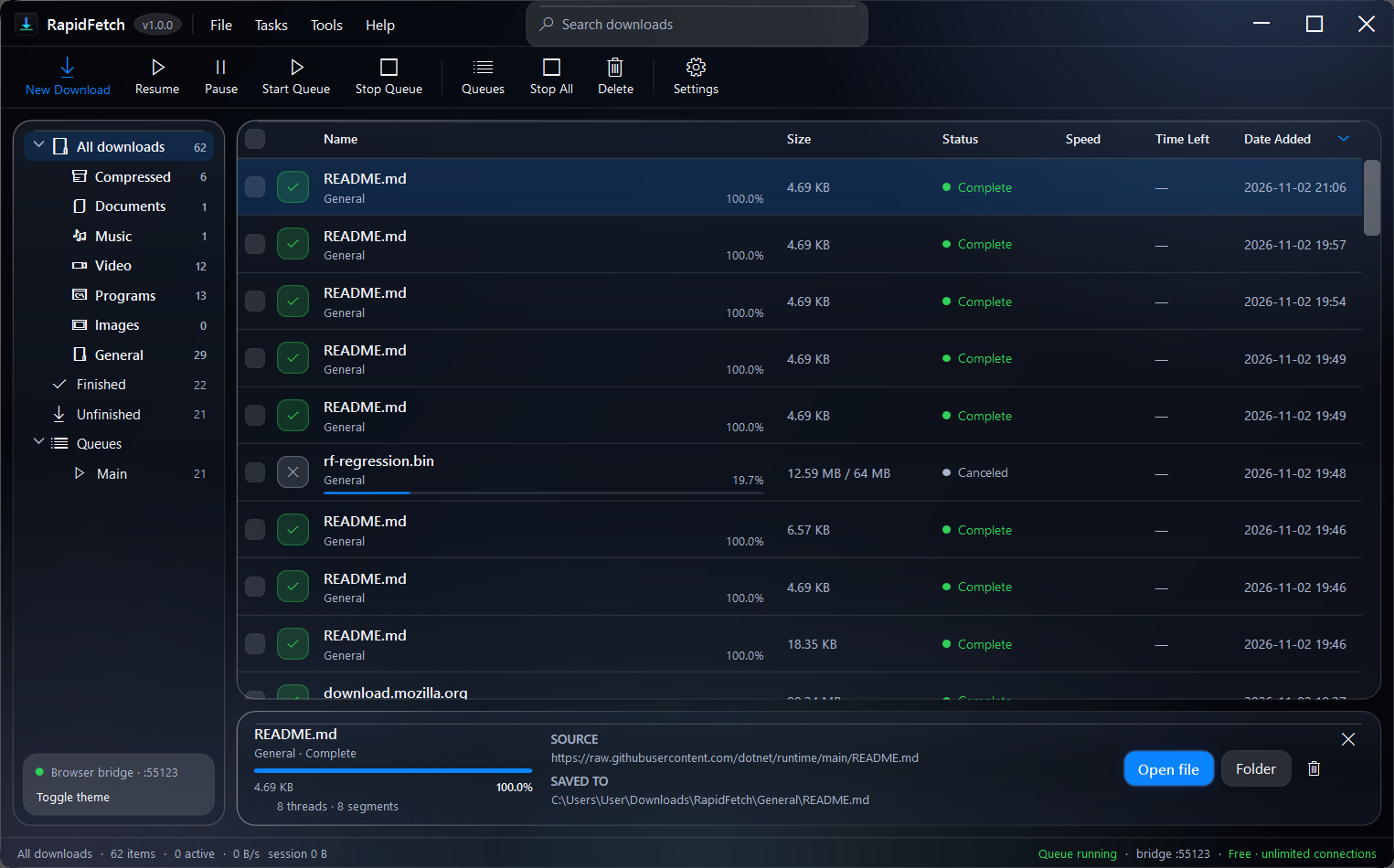
Every core feature ships in the free build. No locked speed, no watermarked installer, no “Pro” nag.
Up to 32 HTTP range connections per file, live speed and ETA, per-segment retry, and a single-stream fallback for servers without range support.
Pause, close, restart or lose Wi-Fi. A .part file and the segment map let RapidFetch pick up exactly where it stopped.
A Manifest V3 extension for Chrome, Edge, Brave, Vivaldi, Opera and Chromium. Take over downloads, links, media and right-click actions.
Detect direct video, audio and HLS playlists, then resolve real formats through the optional yt-dlp engine — including Facebook reels and watch pages.
Limit concurrency, set a daily transfer cap, choose a download window with midnight wrap, and auto-exit, sleep or shut down when the queue finishes.
No analytics, no telemetry and no advertising SDK. History and settings stay in %APPDATA%\RapidFetch; the extension only talks to your PC.
Real connections, real formats, real progress. No fake speed dials and no mystery queue.
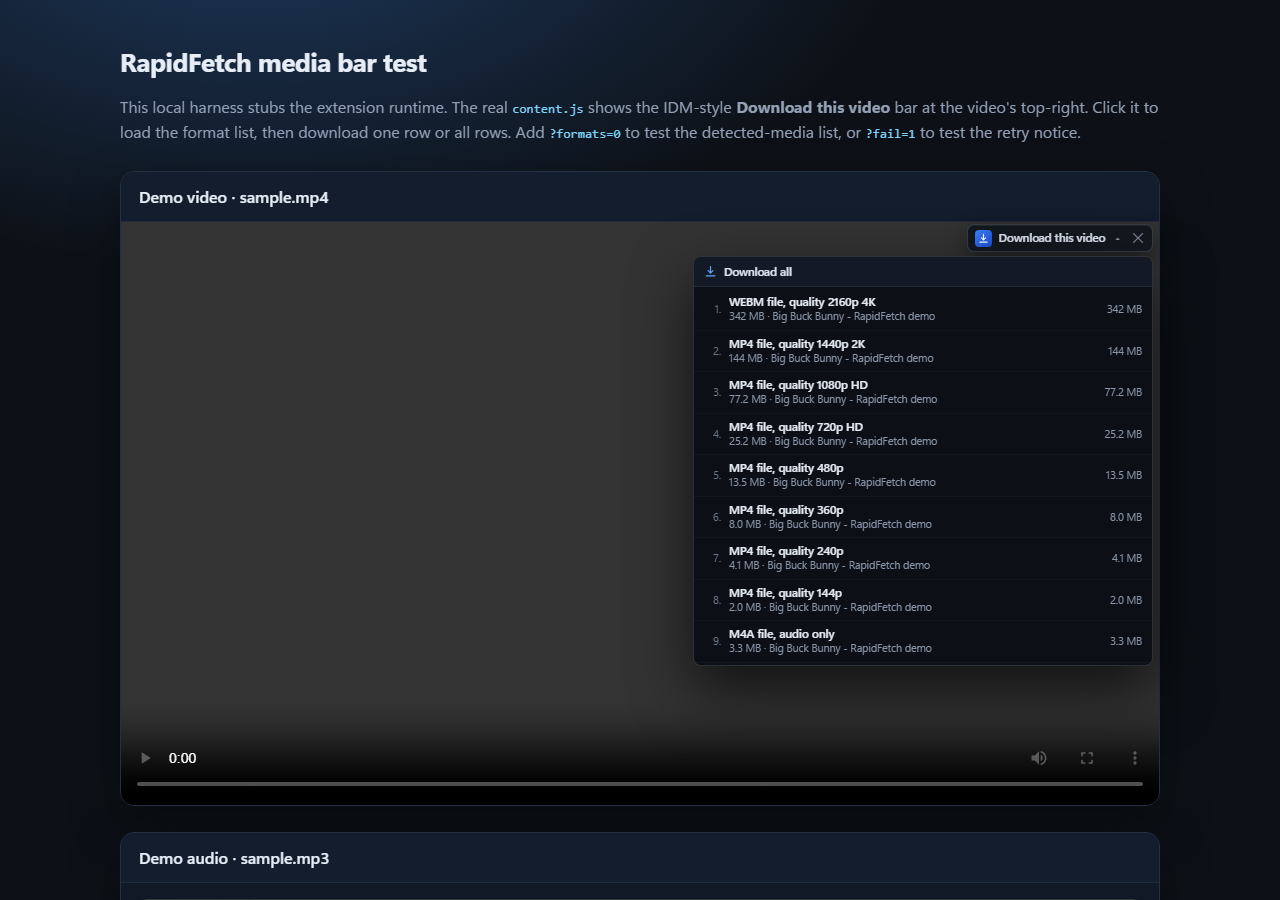
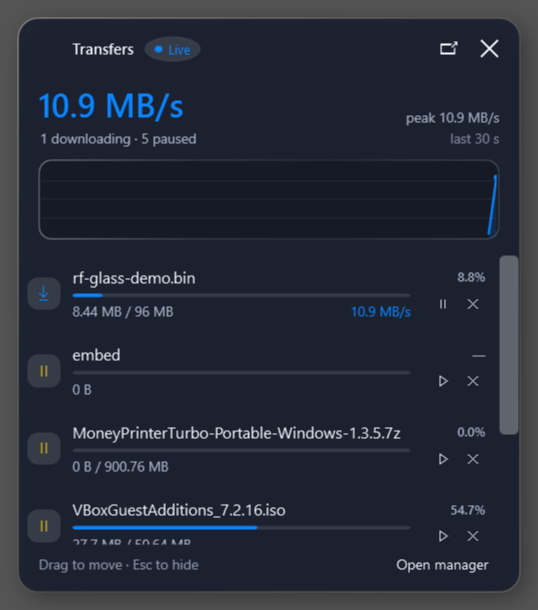
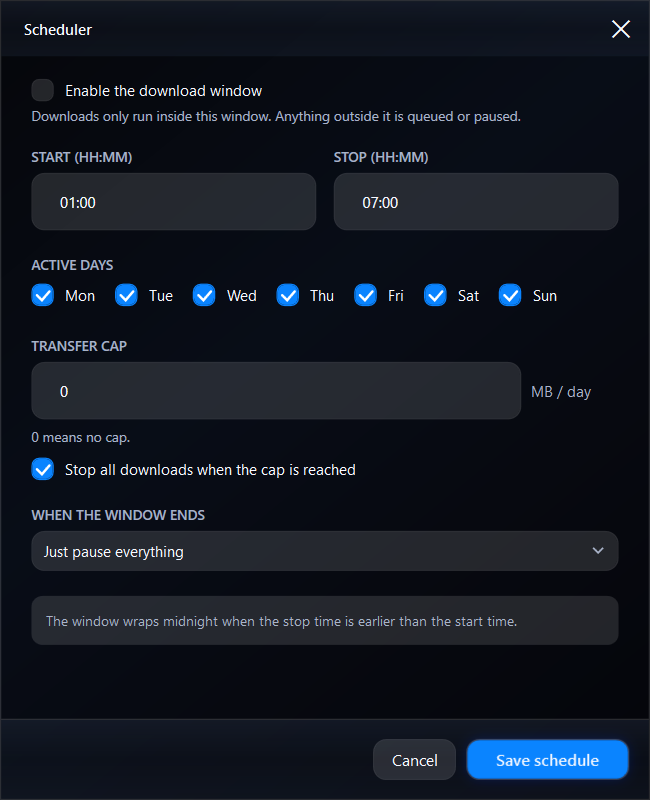
No mockups. This is the actual Windows app and the media picker, captured for the launch teaser.
.part file and segment map survive.Download the free installer, run it as a normal user, and let it register the native messaging host. No admin rights required.
The Web Store listing is pending. Download the official ZIP and load it once from chrome://extensions. Exact steps are just below.
Click any file, video or link. RapidFetch opens the transfer in the desktop app, where you can pause, resume and schedule it.
This is the same extension package prepared for the Web Store. Chrome loads it from the extracted folder, so keep that folder in a permanent location.
Download extension ZIPmanifest.json at the top level; do not select the ZIP itself.chrome://extensions, enable Developer mode, click Load unpacked, and select the extracted folder.RapidFetch has no trial clock, no registration key, no activation server and no account. Every feature listed on this page is available in the free build.
It is free for life. There is no paid tier, trial, subscription, registration key or account. Every core feature on this page is included in the free build. If that ever changes, this page and the listing will say so before anything is paywalled.
The installer is not code-signed yet, so Windows SmartScreen may show “Unknown publisher” or “Windows protected your PC.” That means Windows cannot verify the publisher; it is not proof that the file is malicious. Compare the installer against the matching .sha256 file on the release page, or build from source. Do not disable antivirus or click through a warning from a source you do not trust.
We have not published a benchmark against IDM, so we do not claim to be faster. RapidFetch can use up to 32 HTTP range connections per file when the server supports them, which can improve throughput on some servers. Results depend on the server, CDN, your connection and disk. Servers that ignore range requests fall back to a single stream.
The current core feature set is the product, not a trial. There is no paid tier, account or activation server to fund, and the code is MIT-licensed. If a paid tier is ever added, the free core stays and this page will say so before anything is paywalled.
Not yet. The Web Store listing is still pending, so use the extension ZIP for now: extract it, open chrome://extensions, enable Developer mode, click Load unpacked, and select the folder containing manifest.json. Chrome may show a developer-mode reminder while the unpacked extension is loaded; that is normal for a manual install and does not affect how RapidFetch works.
No. The extension is a companion: it captures downloads and media from Chrome and hands them to the RapidFetch desktop app on the same PC. Install the Windows app first, then the extension.
Chrome, Microsoft Edge, Brave, Vivaldi, Opera and other Chromium browsers with Manifest V3 support. The desktop app is for Windows 10 and 11, 64-bit.
RapidFetch detects direct video, audio and HLS streams and can resolve supported pages through the optional yt-dlp engine, including Facebook reels and watch pages. Only download content you own or have permission to save, and respect each site’s terms.
No. There is no analytics, telemetry, advertising SDK or user account. Download history and settings stay in %APPDATA%\RapidFetch, and the extension only communicates with the desktop app on your computer. Read the privacy policy.
Downloadable media can be served from any domain, so the extension has to inspect the page and media responses on sites you visit to find download options. It does not inject ads, modify page content, or change your search engine or new-tab page.
Install RapidFetch on Windows, add the extension, and let 32 connections do the work. Free for life.